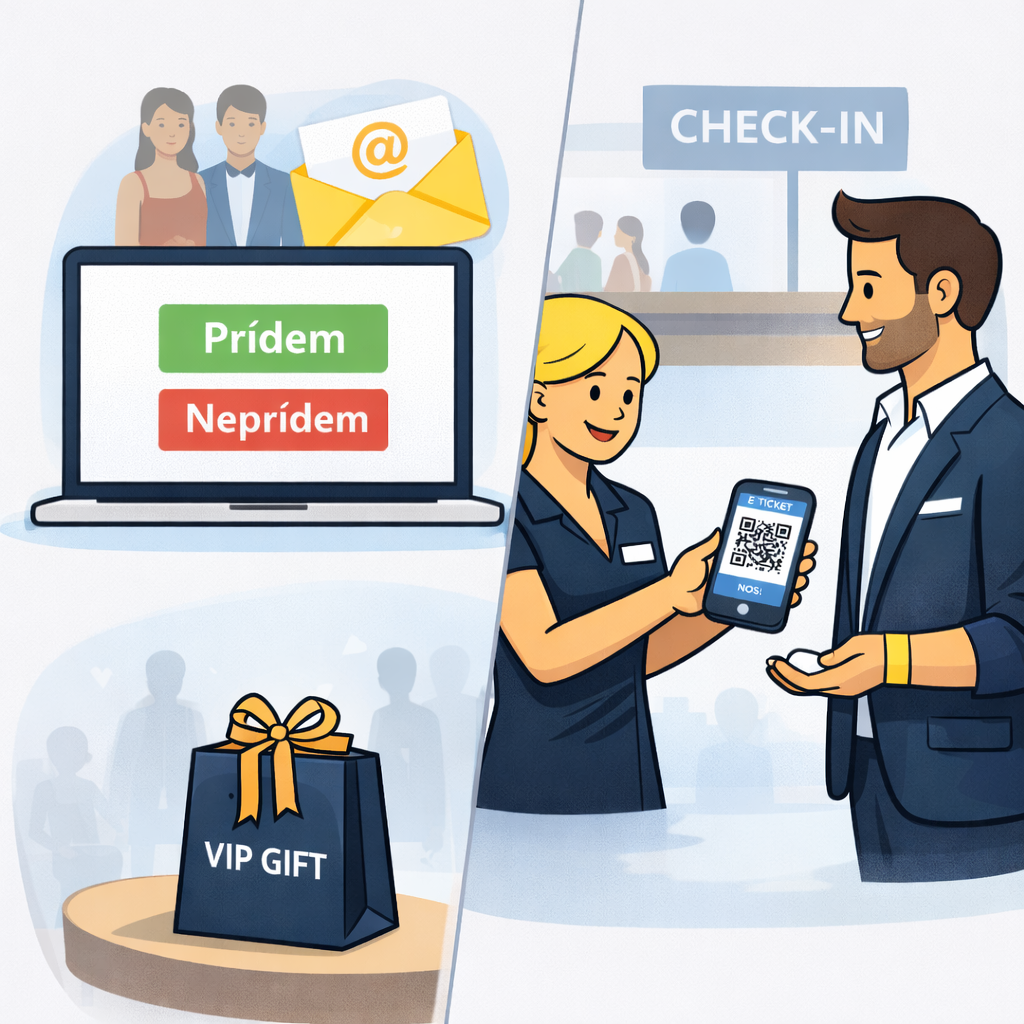
RSVP invitations, guest registration and entry control at an event
The client was organizing a social event for invited guests and needed to manage the entire process, from sending out invitations all the way to checking the handout of gift bags on site.
📝 The client's brief:
-
send invitation emails to a guest list split into two groups – VIP and standard,
-
let guests confirm their attendance or decline the invitation,
-
a follow-up guest registration,
-
automatically send a ticket with a QR code after registration,
-
check tickets at the event entrance,
-
hand out a gift bag only to eligible guests based on their ticket type,
-
clear attendance statistics once the event was over.
Our solution?
1️⃣ RSVP invitations for different guest groups
In the Inviton system we used the RSVP module to send out the invitations. For each guest type (VIP and standard) we prepared a separate invitation email template.
The email contained two buttons:
✅ I'll attend / ❌ I won't attend.
After clicking the I'll attend button, the guest was taken to a personalized registration form generated specifically for that individual guest.
2️⃣ Secure guest registration
The personalized form ensured that a guest could not register more attendees than the organizer allowed in the settings. This held true even if the guest forwarded the link to other people.
At the same time, the organizer could see:
-
which email address the invitation was sent to,
-
who had confirmed their attendance,
-
who had declined the invitation,
-
who had completed their registration,
-
who had not yet responded to the invitation.
The organizer could easily send a reminder with the invitation to guests who had not yet responded.
3️⃣ Automatic tickets after registration
Once registration was complete, every guest received an automated confirmation email in the client's branding, which included:
-
personalized text,
-
the language the guest selected during registration,
-
a ticket with a QR code in the client's branding,
-
a wallet ticket for Apple Wallet or Google Wallet.
4️⃣ Fast entry control at the event
On site we used our professional QR scanners to check guests' tickets. The scanner display showed the ticket type in color to the hostesses, so they immediately knew which color wristband the guest should receive.
5️⃣ Checking the handout of gift bags
As guests left the event, the hostesses handed out gift bags to VIP guests. Once again we used our scanners.
After scanning the QR code, the system automatically evaluated:
-
whether it was a VIP ticket,
-
whether the guest had not yet collected their gift.
This ensured that every VIP guest received exactly one gift bag.
The result
✔️ a clear RSVP and guest registration process
✔️ automatic tickets with QR codes
✔️ fast entry control at the event
✔️ reliable control over the handout of gift bags
✔️ detailed attendance statistics for the organizer
Once the event was over, the client had complete attendance statistics available in the system, including an overview of registered guests and actual turnout.
Contact
Inviton s.r.o.
Nové Záhrady I, č.11,
821 05 Bratislava
Slovak republic
Do you use our event management platform and need help? Do not hesitate to contact us.